Year 8 · Computing · Binary and data · Lesson 1
Binary numbers
Binary numbers: why computers use 0s and 1s, binary place values, converting binary to denary, and bits, nibbles and bytes.
21-minute video lesson
Teaching, worked examples and 20 practice questions solved step by step.
Watch free for a monthWhat your child will learn
- Explain why computers use binary
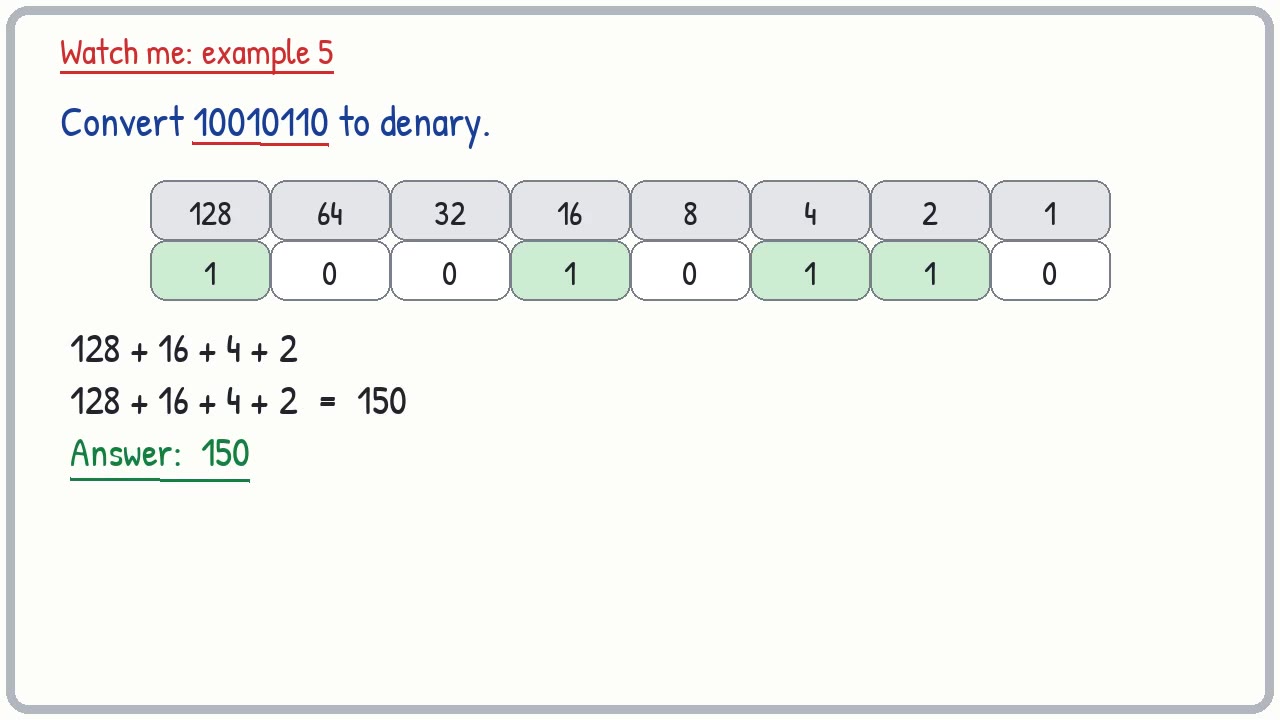
- Write the 8-bit place values
- Convert binary to denary
- Know bits, nibbles and bytes
- Find the largest value for a number of bits
The method
- Write the place values 128 to 1.
- Write the bits underneath, lined up on the right.
- Circle the place values with a 1.
- Add them up.
Key words: binary, denary, bit, nibble, byte, place value, transistor.
Worked examples
The first three practice questions from the lesson, with every step.
Question 1
What two digits does binary use?
- Step 1: Base 2
Answer: 0 and 1
Question 2
What is denary?
- Step 1: Our normal number system: base 10
Answer: Base 10, the normal number system (digits 0 to 9)
Question 3
Convert 0101 to denary.
- Step 1: Place values: 8 4 2 1
- Step 2: 4 + 1 = 5
Answer: 5